
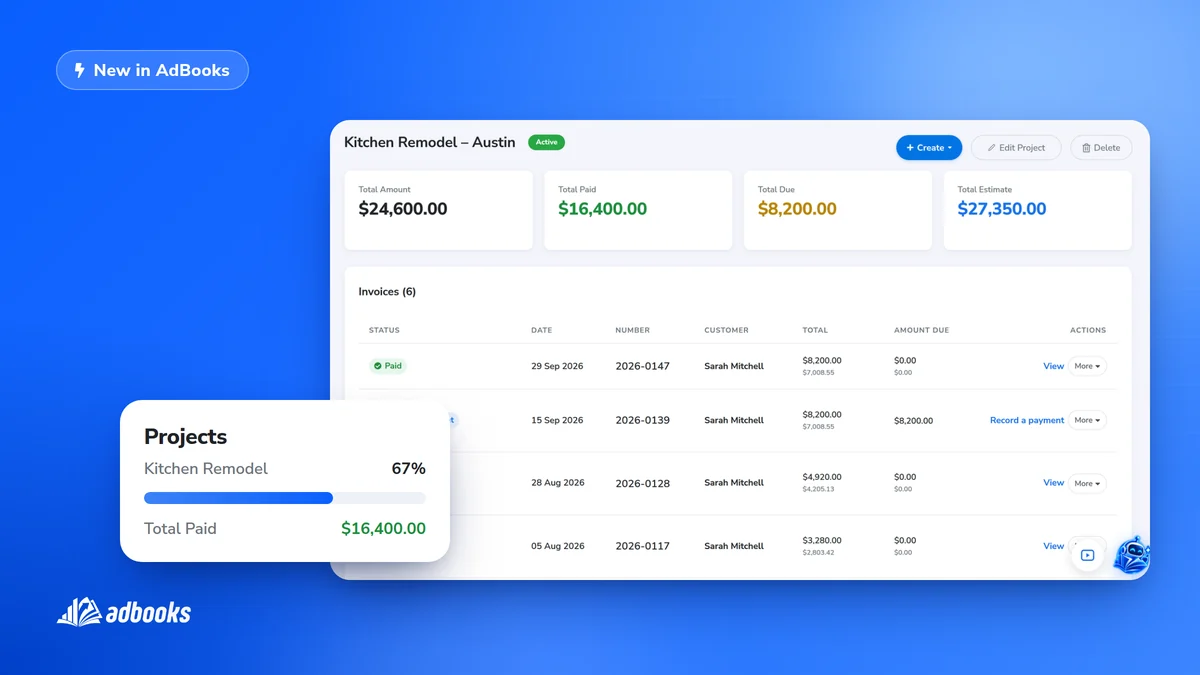
Projects are now available for every AdBooks account. Instead of hunting for documents by date or client, you can now group all the quotes and invoices for a specific job in one place.
What Projects actually do
A project pulls together every quote and invoice tied to one job, so you can see the full picture - what has been sent, what has been paid, and what is still outstanding - without leaving the page.
Enabled automatically
Projects are switched on for every account by default, so there is nothing to set up to start using them. If you would rather not show projects on your documents, you can turn that off from the invoice customisation page in your account.
Find any project in seconds
A clear, searchable list shows which projects are in progress, completed, or still pending, searchable by name or client.
Real-time financial status, per project
This is the core of the feature: AdBooks tracks every invoice tied to a project automatically and gives you a live answer to the questions that matter - who owes you money, how much is still outstanding, and what the project is worth in total. No manual adding-up required.
Quotes and invoices, linked from the start
Any quote or invoice you create can be attached to a project as you build it, and from inside the project you can see the status of each one at a glance.
Start one in a click
A new project starts from the same menu where you already create invoices - no separate section to dig through.
How many projects can you have?
- Pro plan - up to 3 active projects
- Growth and Booster plans - unlimited projects
More detail on setting up and managing projects is in our knowledge base.